
User guide
Dashboard
Your start page: search, quick links, projects, weather, a clock and a toolbar of tools.
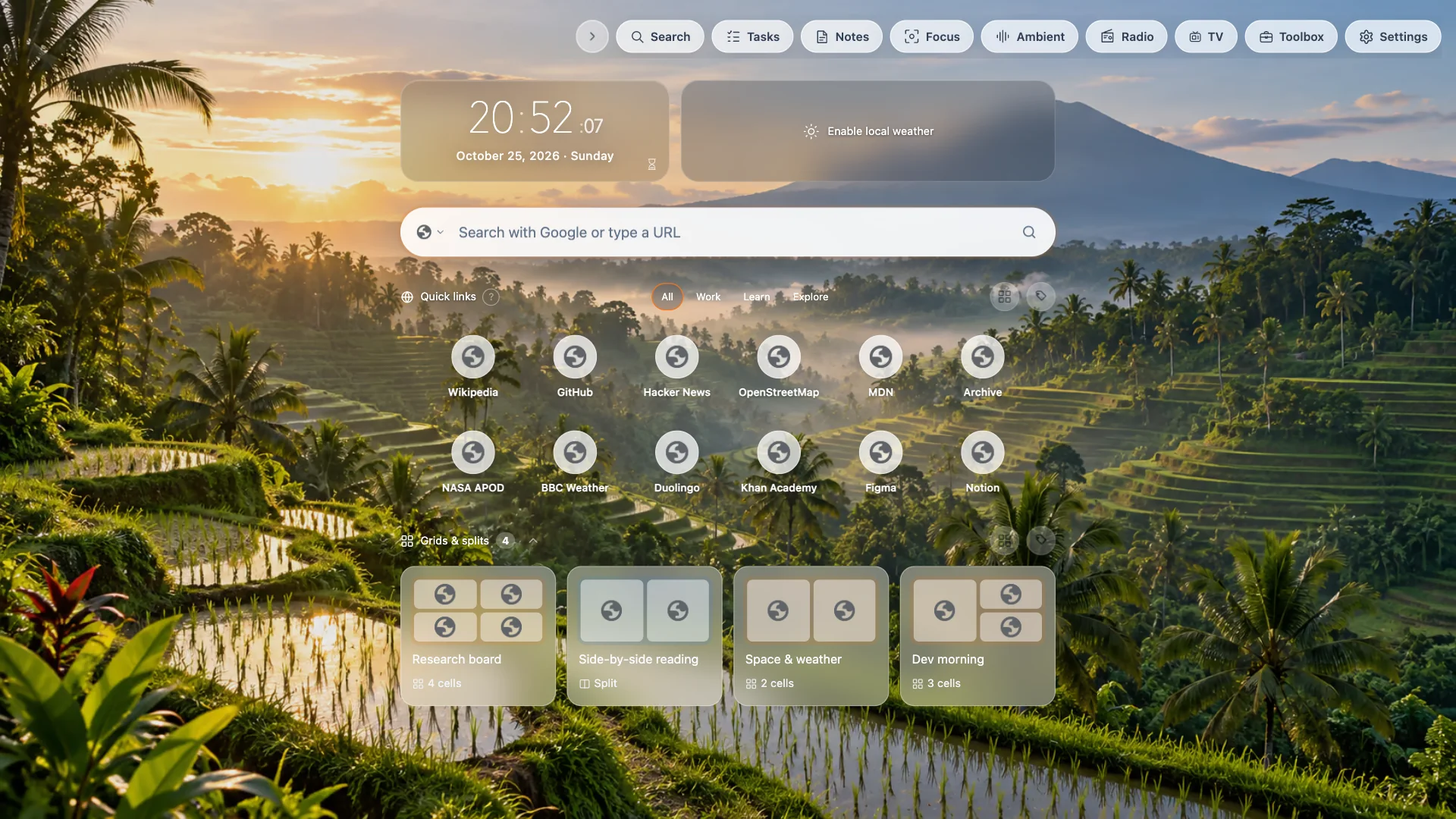
Click the TabTerrace icon to open the dashboard.
What's on it
- Clock and date. Click the date to open the calendar; the hourglass next to the clock starts a countdown timer.
- Weather for the cities you follow.
- Search with the engine of your choice, or type a URL.
- Quick links to your favorite sites, grouped with tags. Use the site manager to add, edit, reorder and set how many columns and rows to show.
- Grids & splits — your saved projects. Use Manage to create, edit and delete them.
- The toolbar: search, to-dos, notes, focus, ambient sounds, radio, TV, the toolbox and settings.
Make it yours
In Settings → Modules & layout, adjust the content width, show or hide each section and drag to reorder (clock and weather stay together). In General, show or hide toolbar labels and choose where the toolbar sits. Change the scenery in Backgrounds.